Secure HD video
Clear multi-party video and audio on a scalable media server, with device switching and automatic reconnection.
The enterprise meeting organiser
Scheduling, secure video, moderation, consent-based recording and a full admin console, together in one place, so your teams can meet and your administrators stay in charge.
Features
From the first invitation to the audit trail, every part of a meeting is covered.
Clear multi-party video and audio on a scalable media server, with device switching and automatic reconnection.
Present a window, a browser tab or your whole screen to everyone in the room.
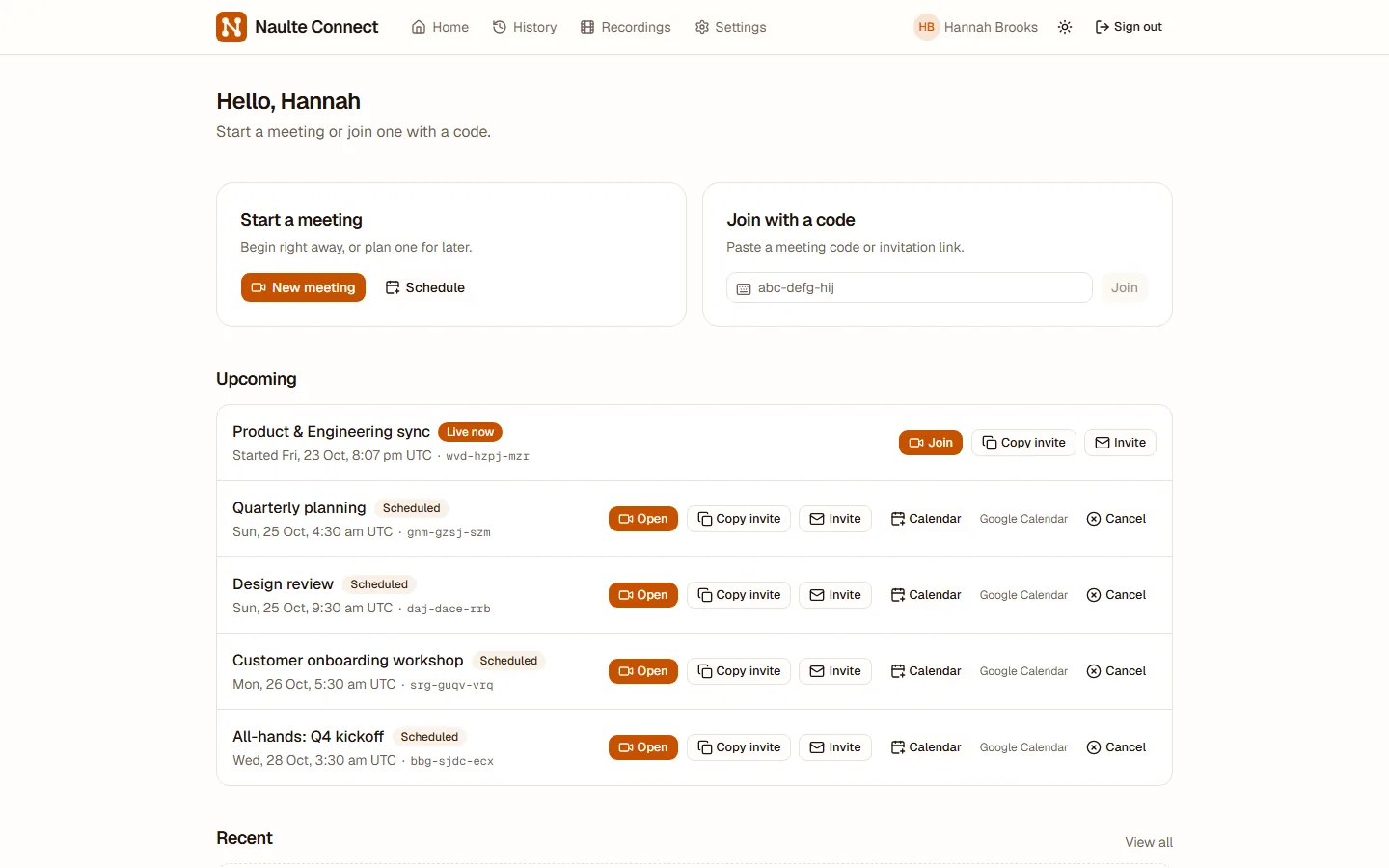
Plan meetings ahead, invite people by email, and add them to any calendar. Reminders go out before the start.
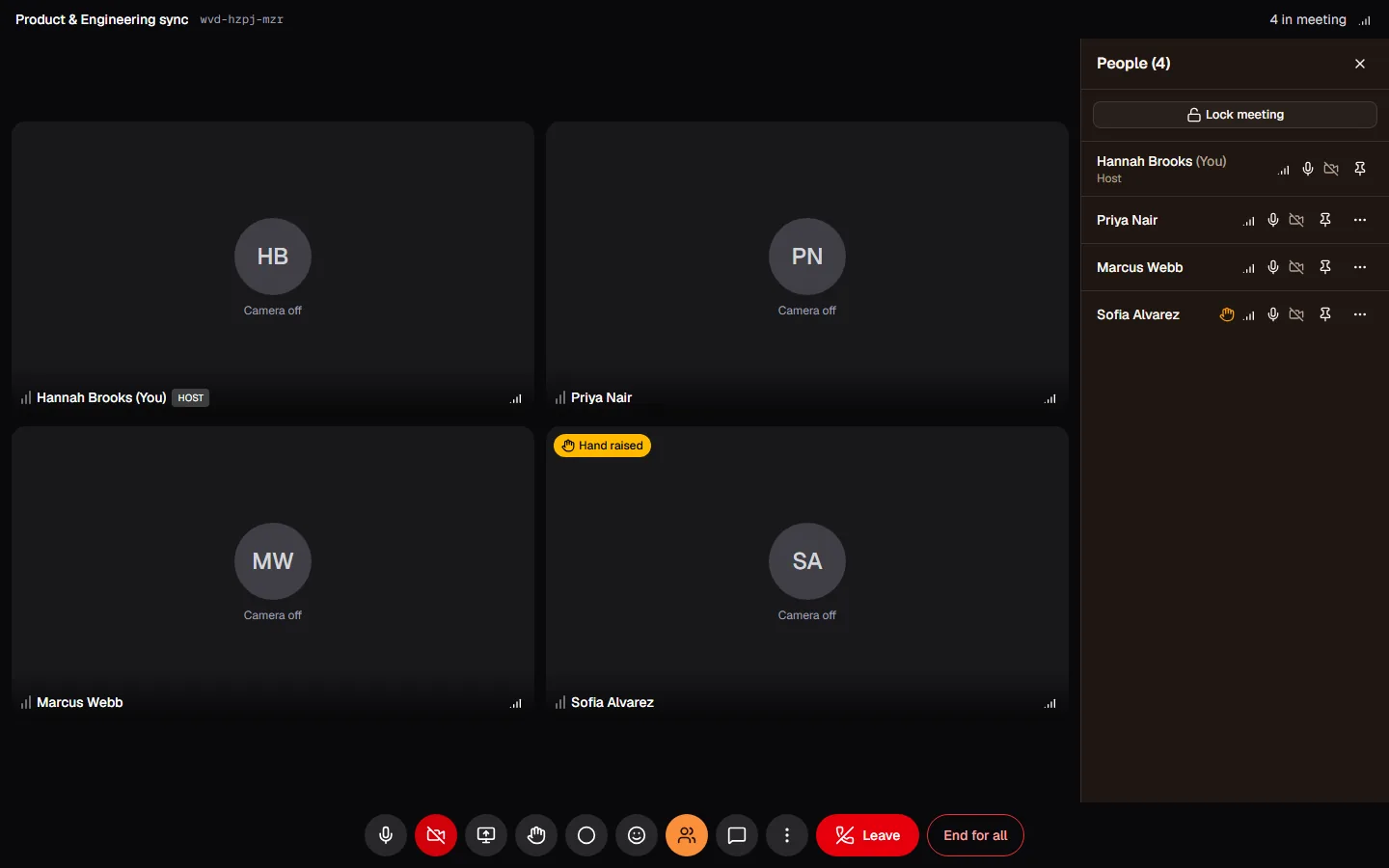
Admit people one by one, or lock the meeting once everyone has arrived.
Mute participants, remove disruptive ones and share moderation with co-hosts.
Everyone is told when a meeting is recorded and must acknowledge it. Only the host can play it back.
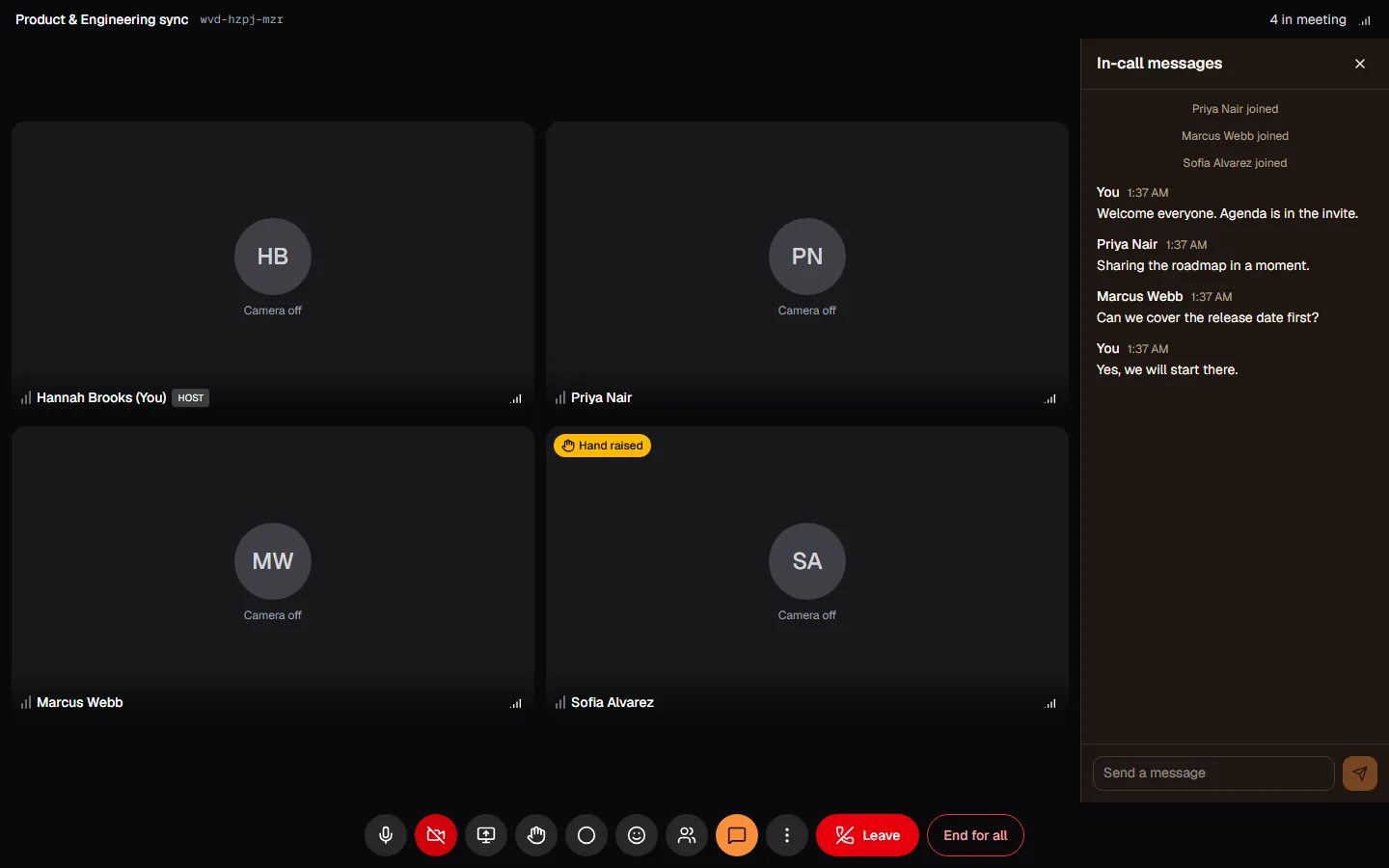
Messages stay with the meeting, and people who join late see what was said since they arrived.
Raise a hand or react without interrupting the speaker.
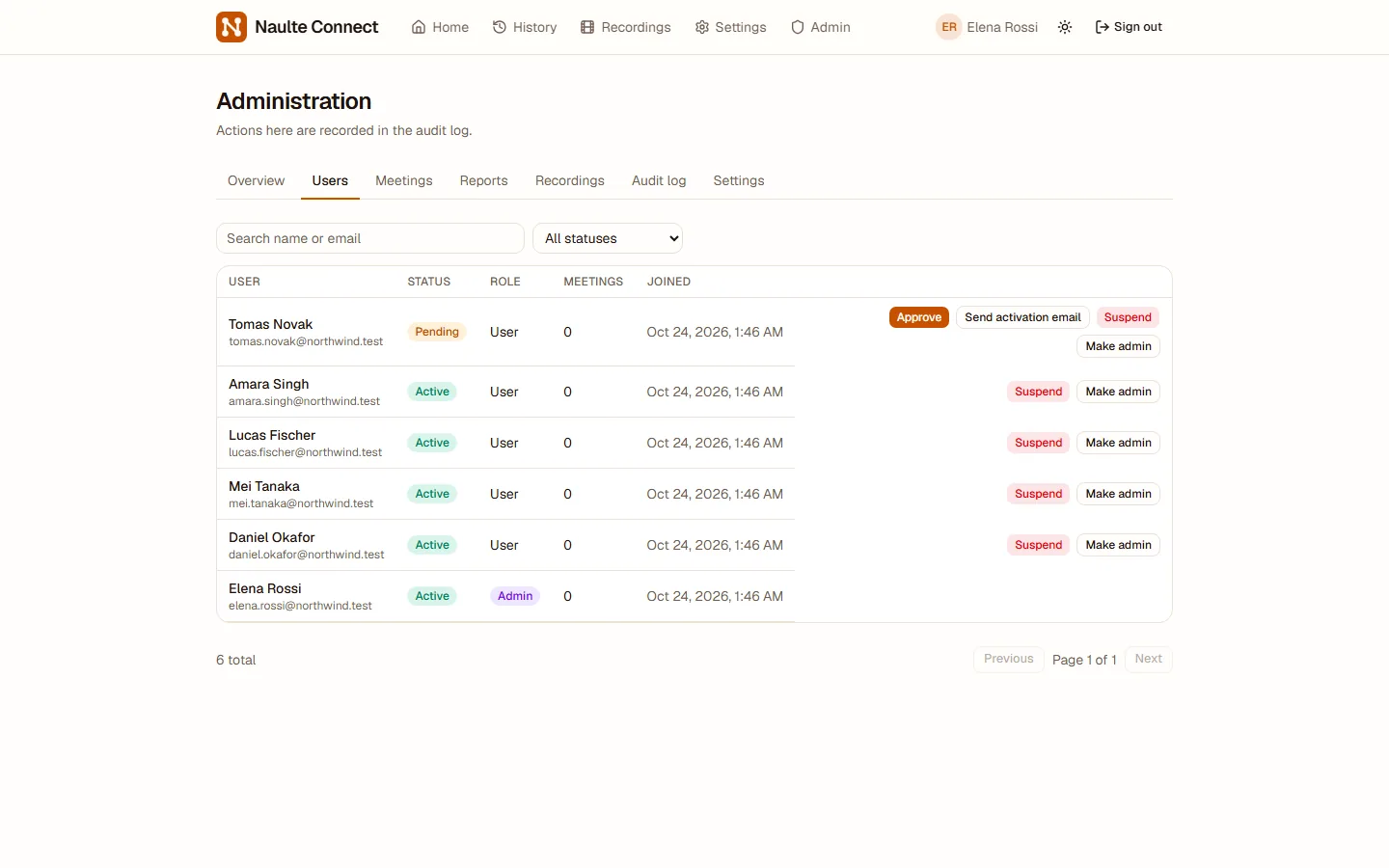
Manage users, meetings, reports and limits from one place, with approvals and activation emails.
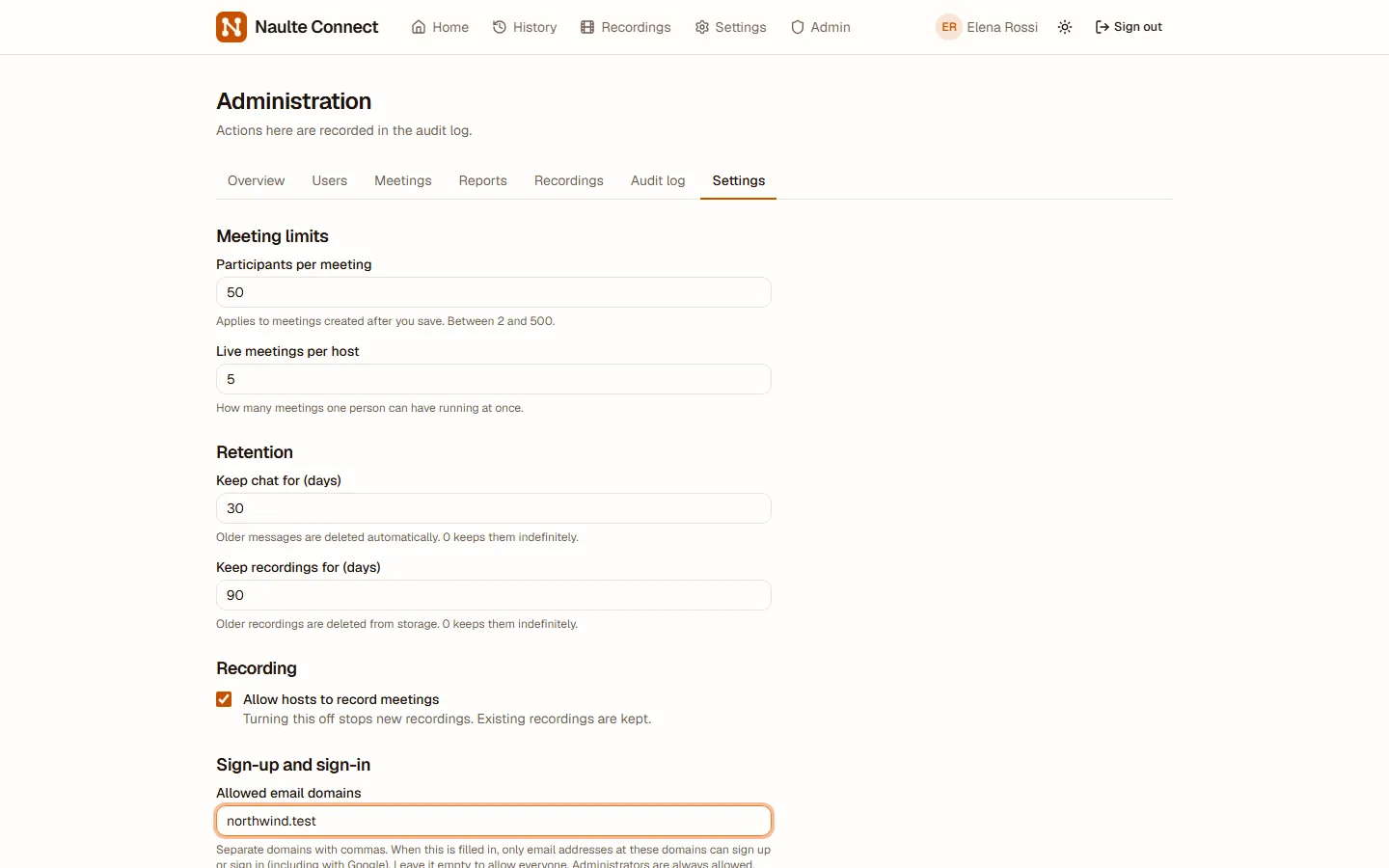
Restrict sign-up and sign-in to your organisation's email domains.
For each meeting choose who may join: anyone with the link, signed-in users only, or invited guests only.
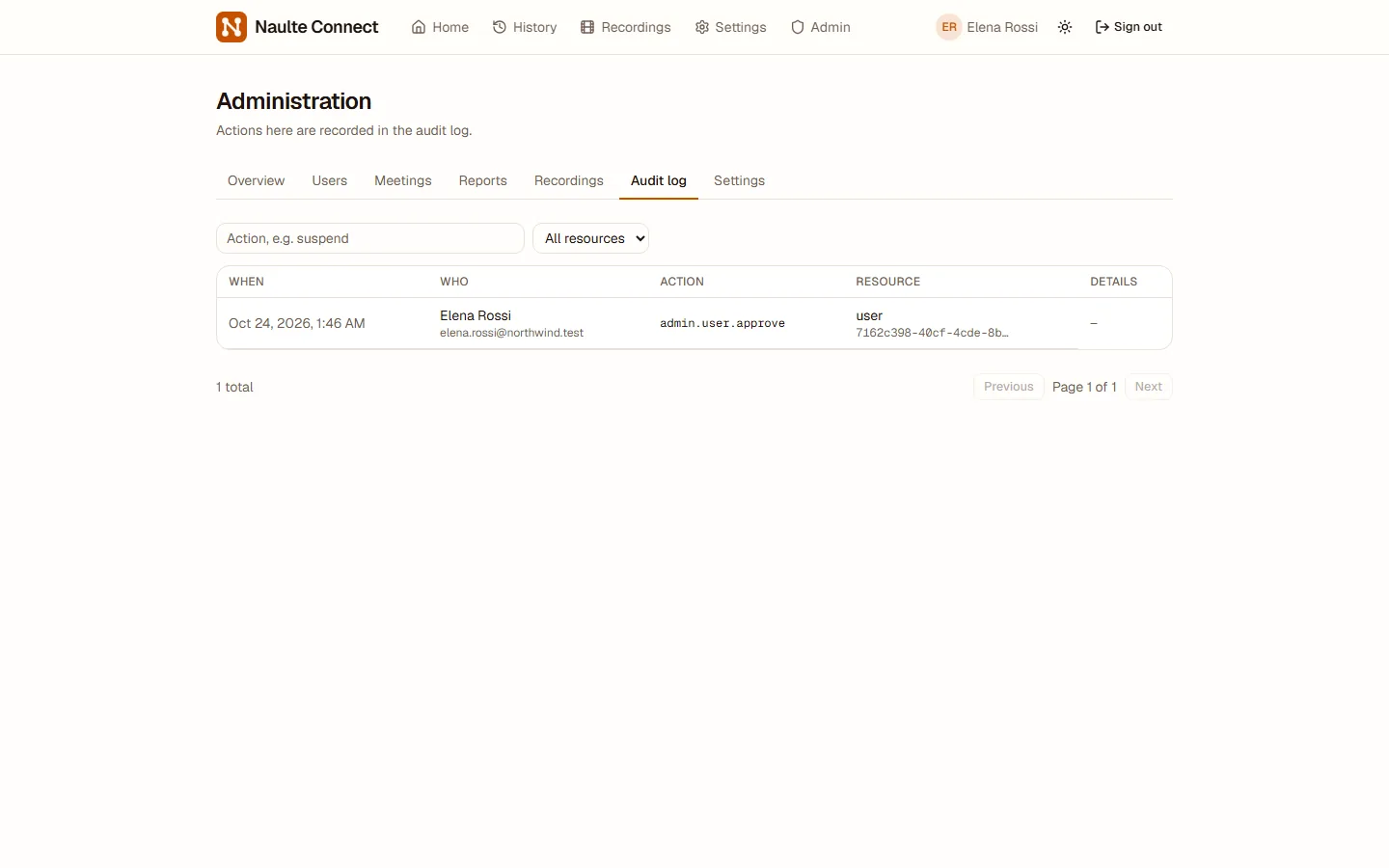
Every administrative action is recorded, so you can always see who changed what and when.
Product tour
These are real screens from Naulte Connect.
Plan
See what is live and what is coming up. Schedule ahead, invite colleagues and guests by email, and add the meeting to their calendar in one click.
Meet
Guests join from any modern browser with nothing to install. Chat, raise hands and share your screen without leaving the call.
Moderate
Hosts and co-hosts see who is in the meeting, mute or remove people, admit those waiting and lock the room when it is full.
Administer
Approve new accounts, resend activation emails, limit sign-up to your company domain and review every administrative action in the audit log.
Meetings hold sensitive conversations. Naulte Connect is built so the people running the platform stay in control of who joins, what is recorded and who can see it.
Deploy it on your own infrastructure to keep your data where your organisation requires it.
Getting started
Request a demo and share a little about how your teams meet today.
We walk you through scheduling, hosting, moderation and the admin console.
Run it on your own infrastructure and invite your teams when you are ready.
Request a demo
Tell us a little about your organisation and we will arrange a walkthrough.
Your details go only to our team, to answer your request.